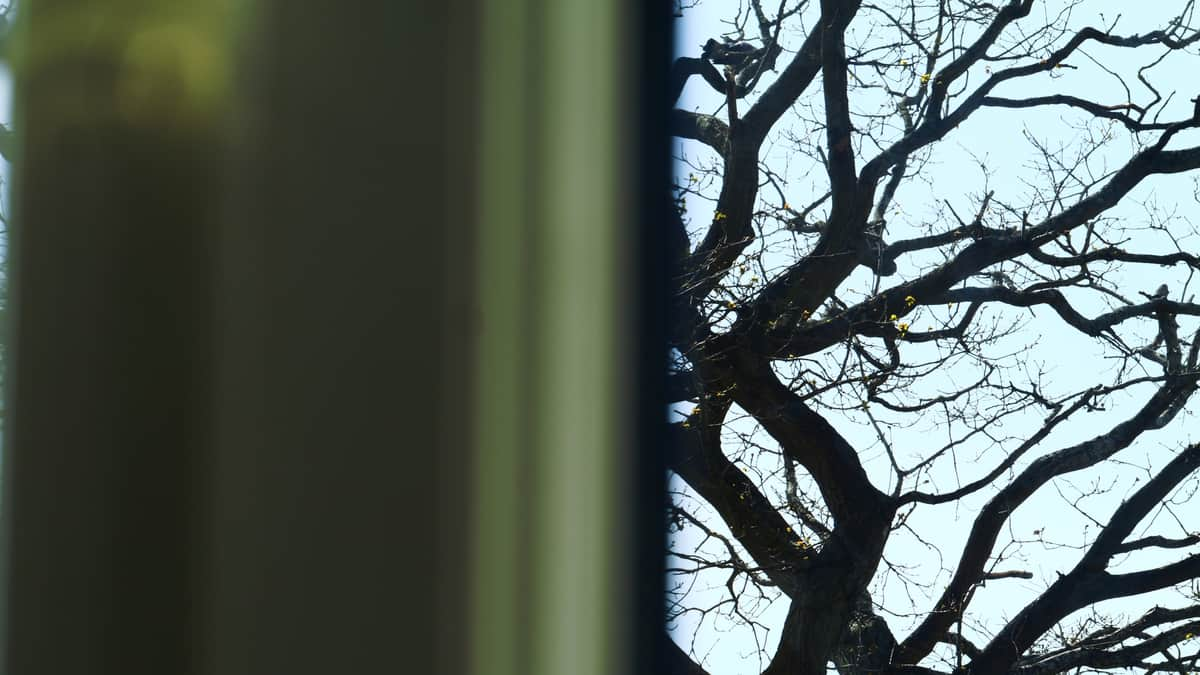
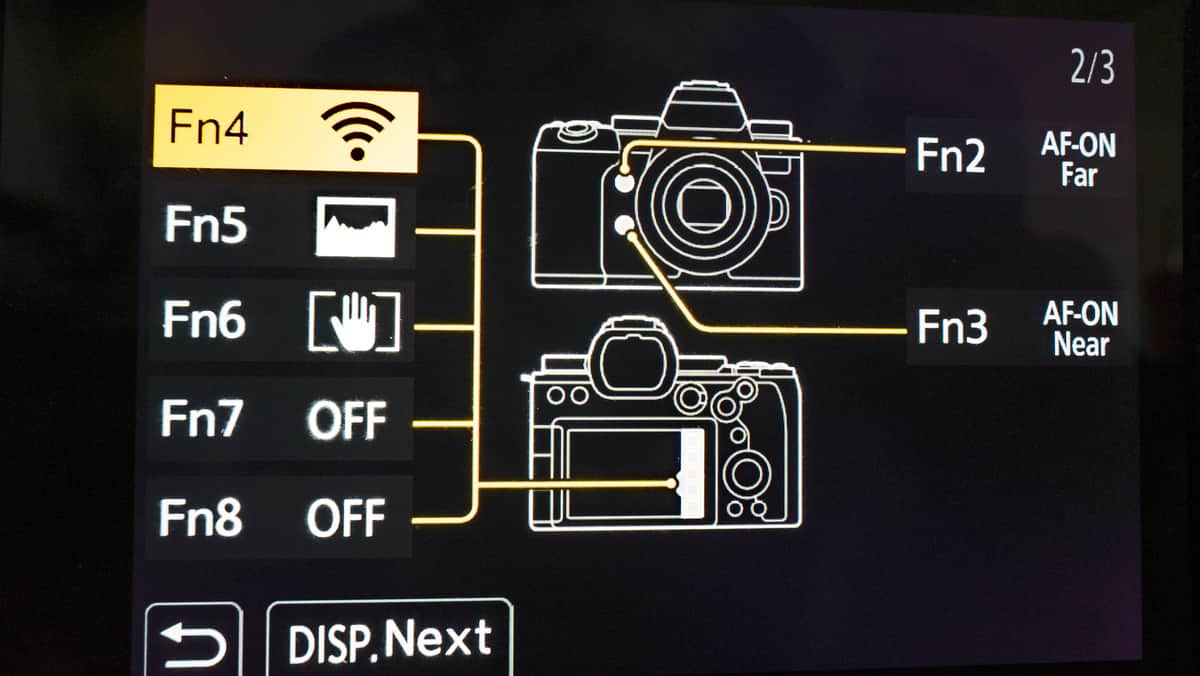
Ok may not make much sense but I will try and explain
Normally to get distance one would just zoom in as normal, but on the panasonic G9 and G9ii there is another option.
Within the menu there is a setting that allows instant far and near focus . So say a bird is in a tree, the canera “nine times out of ten” would just focus on the nearest branch and not on the bird, no matter how far zoomed in one goes.
However by programming a couple of buttons this is overcome. Of course one may want to zoom in first
Took a bit of time to find out how to program.
same shot using near and far without zooming in
Near focus
Dood
No it doesn’t , but I did post about zooming first. This is about being able to focus beyond the camera initial capture. also I did say which photo was which. I also mentioned when it might be useful under certain circumstances.
There is back button focus which again is something slightly different. This is about using 2 buttons to achieve a different front and back focus
Unless you own a G9 or G9ii camera this is going a little deeper into menu programming than most would not know about , called front focus shift and back focus shift
Back button focusing is simple enough: using the button on the back of the camera to auto focus, instead of the shutter button on top of the camera. (thumb instead of forefinger). It enables you to hold the focus between shots.
But this has got nothing to do with your first post.
Back button focus only targets the nearest object and sharpens it. Zooming only brings targets closer. not even focus stacking that is different as well
I fully understand the concept seems strange, more so if one doesn’t own either camera.
This is more like having two focal distances in one lens changable via buttons. the photos I posted are a good example.
I researched this and there is very little information on youtube apart from the link I posted, and none with the Panasonic G9ii that I could find.
the Panasonic G9ii camera has so many options in the menu I am still finding more I didn’t know about. even reading this is mind blowing over 800 pages in the handbook
Fn buttons are useful, especially on a small camera that doesn’t have it’s own dedicated button/wheel for certain functions like ISO or Exposure Compensation.
@realspeed I can see that the focus shift might come in handy for videoing: camera solid on a tripod and you can zoom in and out on different subjects. You can of course use the touchscreen but you might miss the exact spot, plus there is a chance you’ll cause camera shake.